Already charged? Stop the renewal first, then use the receipt to check the refund window and support path.
Check this GitHub Copilot charge →How to Cancel GitHub Copilot and Return to Copilot Free (2026)
A personal Copilot Pro, Pro+, or Max plan is cancelled from GitHub billing settings. The paid features remain available until the billing cycle ends, then GitHub moves the account to Copilot Free.
Official account or cancellation path GitHub Copilot
Confirm that the plan is personal
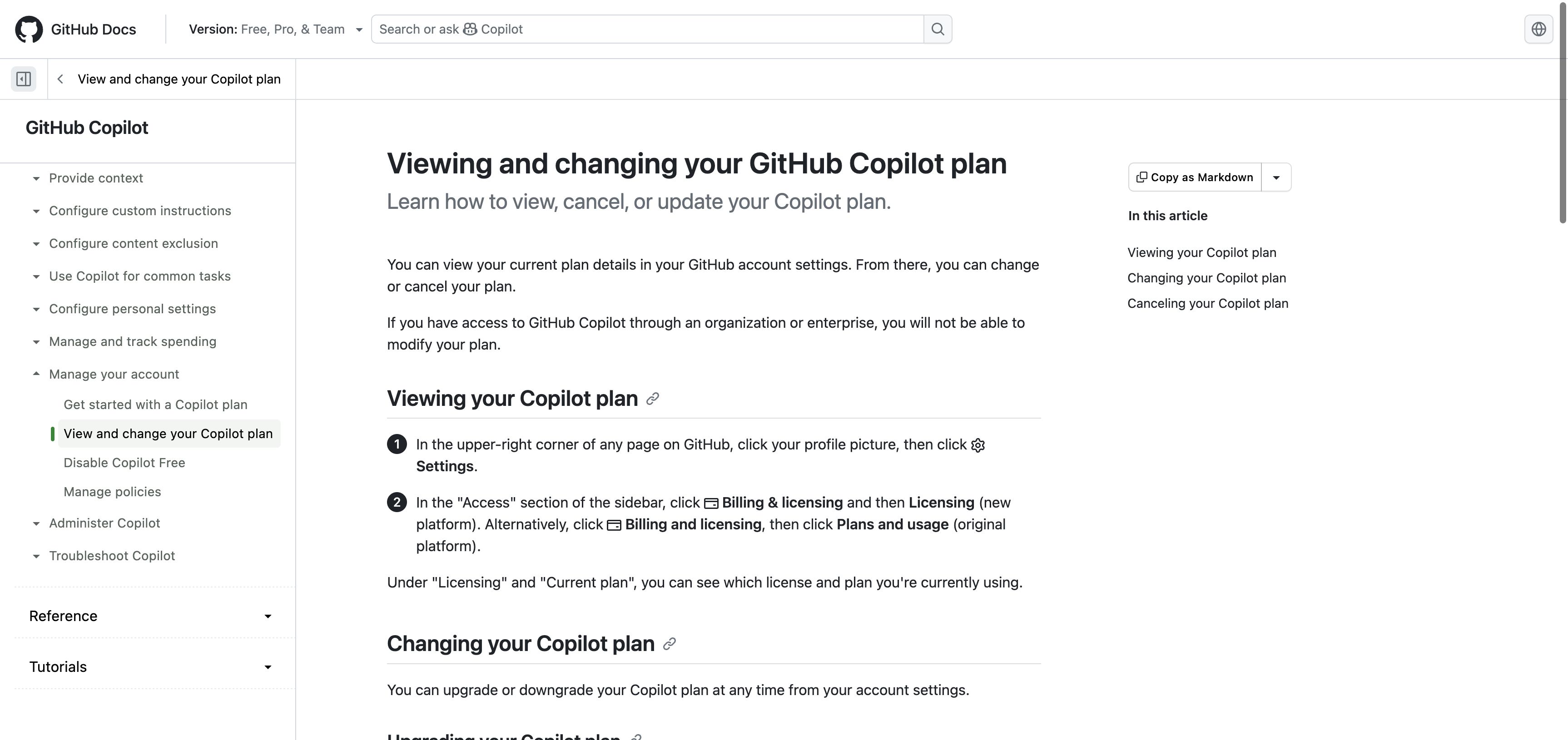
Open GitHub Settings and check whether Copilot is billed to your personal account or supplied by an organization or enterprise.
Open Billing and licensing
In Settings, open Billing and licensing. Choose Licensing on the new billing platform or Plans and usage on the original platform, then find the GitHub Copilot section.
Cancel the paid plan
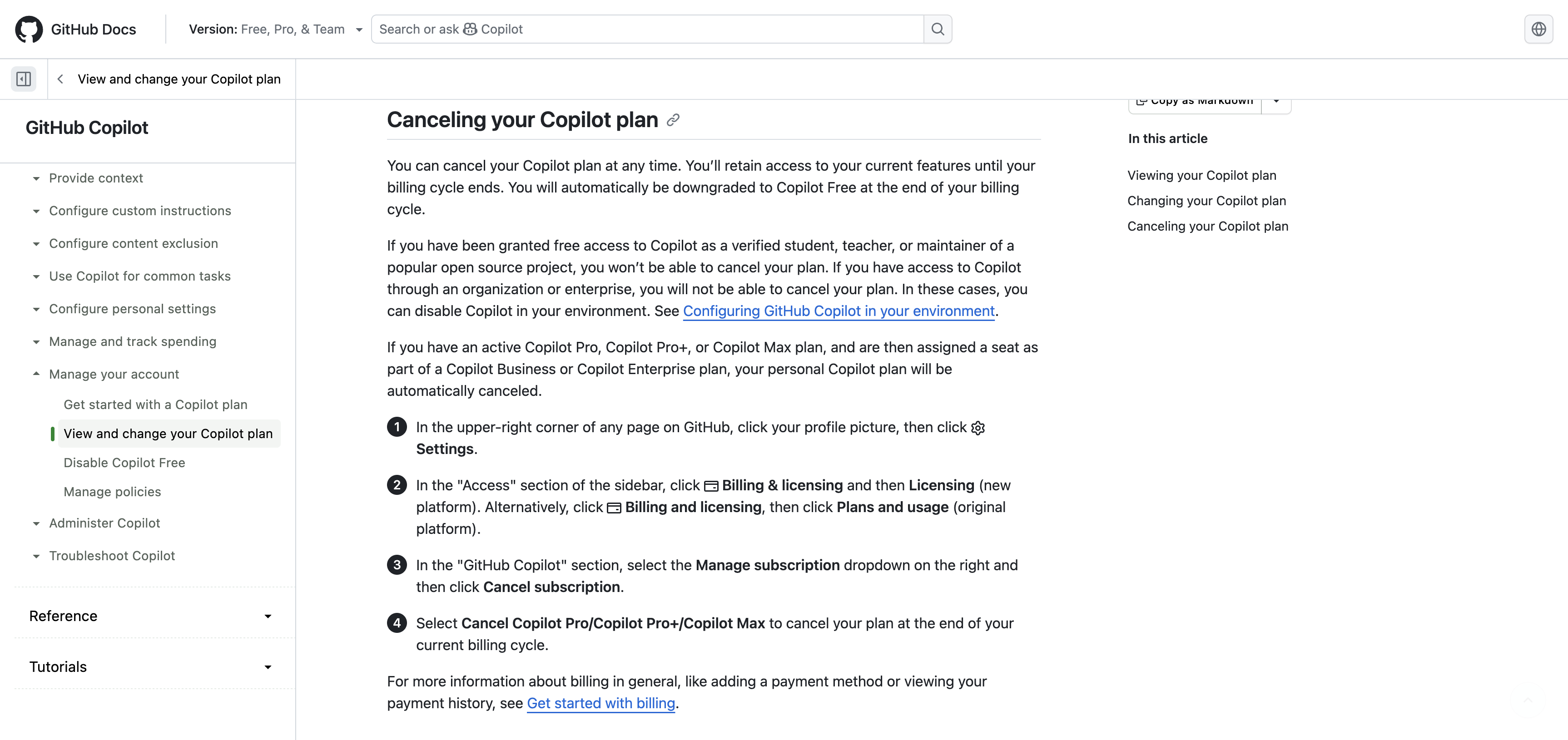
Open Manage subscription and select Cancel subscription. Confirm the cancellation for the Copilot Pro, Pro+, or Max plan shown in the dialog.
Already charged? Keep the receipt and the cancellation confirmation. They are the useful part of a refund request.
Check my GitHub Copilot refund options →Check the effective date
Save the billing-cycle end date and the cancellation confirmation. Paid access remains until that date, after which the account is downgraded to Copilot Free.
⚠️ Watch out
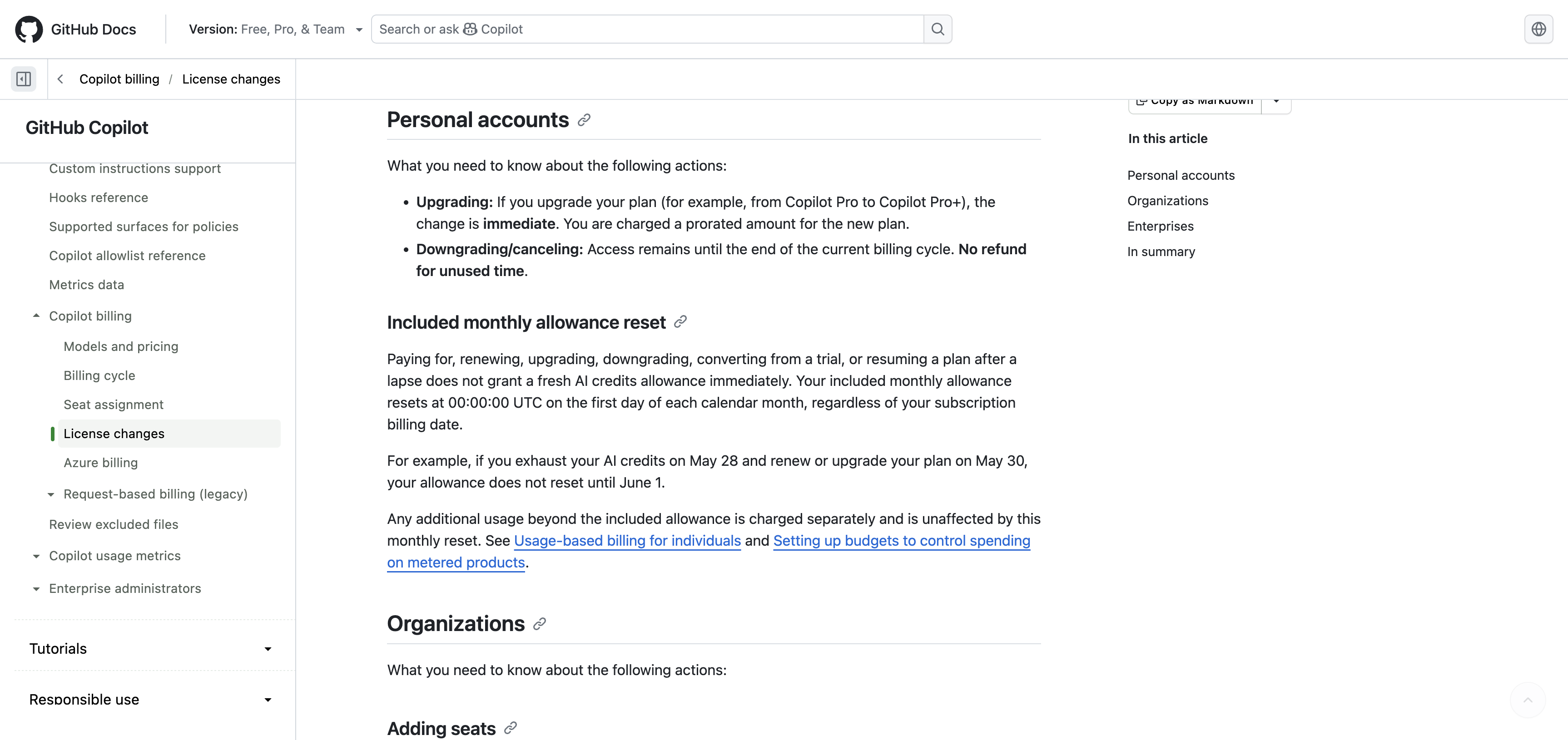
- GitHub says cancellation takes effect at the end of the current billing cycle and does not refund unused time.
- Organization and enterprise seats are managed by the account owner, not through a personal Copilot subscription.
- Verified students can use Copilot Student. Verified teachers and maintainers of popular open-source projects may qualify for free Copilot access.
- Copilot Free has limits. Check the current plan page before assuming it covers the same models or usage as a paid plan.
✗ Refund policy
GitHub's current policy does not issue a refund for unused time when a Copilot plan is cancelled. Paid access continues through the billing-cycle end. Local consumer law may provide additional rights.
Official screens behind the policy notes
These current support screens are included so you can compare the wording on your own account before acting.
Frequently Asked Questions
Does GitHub Copilot stop immediately after cancellation?
Will GitHub refund unused Copilot time?
Why is there no cancel button in my personal account?
Can I keep using Copilot after cancelling Pro?
Sources checked for this guide
We checked GitHub's current personal Copilot plan and license-change documentation on August 25, 2026. GitHub currently lists two billing interfaces.
Already charged for GitHub Copilot?
Enter the amount and what happened. The free preview organizes the known cancel path, likely refund window, and the evidence to keep before you contact support.
The preview is free. The optional personalized Emergency Kit is a one-time $4.99 purchase. Or review a bill if you are unsure which charge to handle first.
Independent guidance
Bill Vampire is not a bank or law firm. Cancel paths and merchant policies can change. Contact the merchant first for an ordinary billing problem. Contact your card issuer promptly if you do not recognize a charge or believe it is fraudulent.