Already charged? Stop the renewal first, then use the receipt to check the refund window and support path.
Check this The Athletic charge →How to Cancel The Athletic Without Missing a Separate Charge (2026)
The Athletic can appear inside a New York Times bundle and still have a separate standalone subscription. Before cancelling anything, open the receipt and identify whether NYTimes, Apple, or Google Play processed the payment.
Official account or cancellation path The Athletic

Match the charge to its billing channel
Check the receipt and the Subscription Overview in your New York Times account. The overview should direct you to the place that manages the subscription.
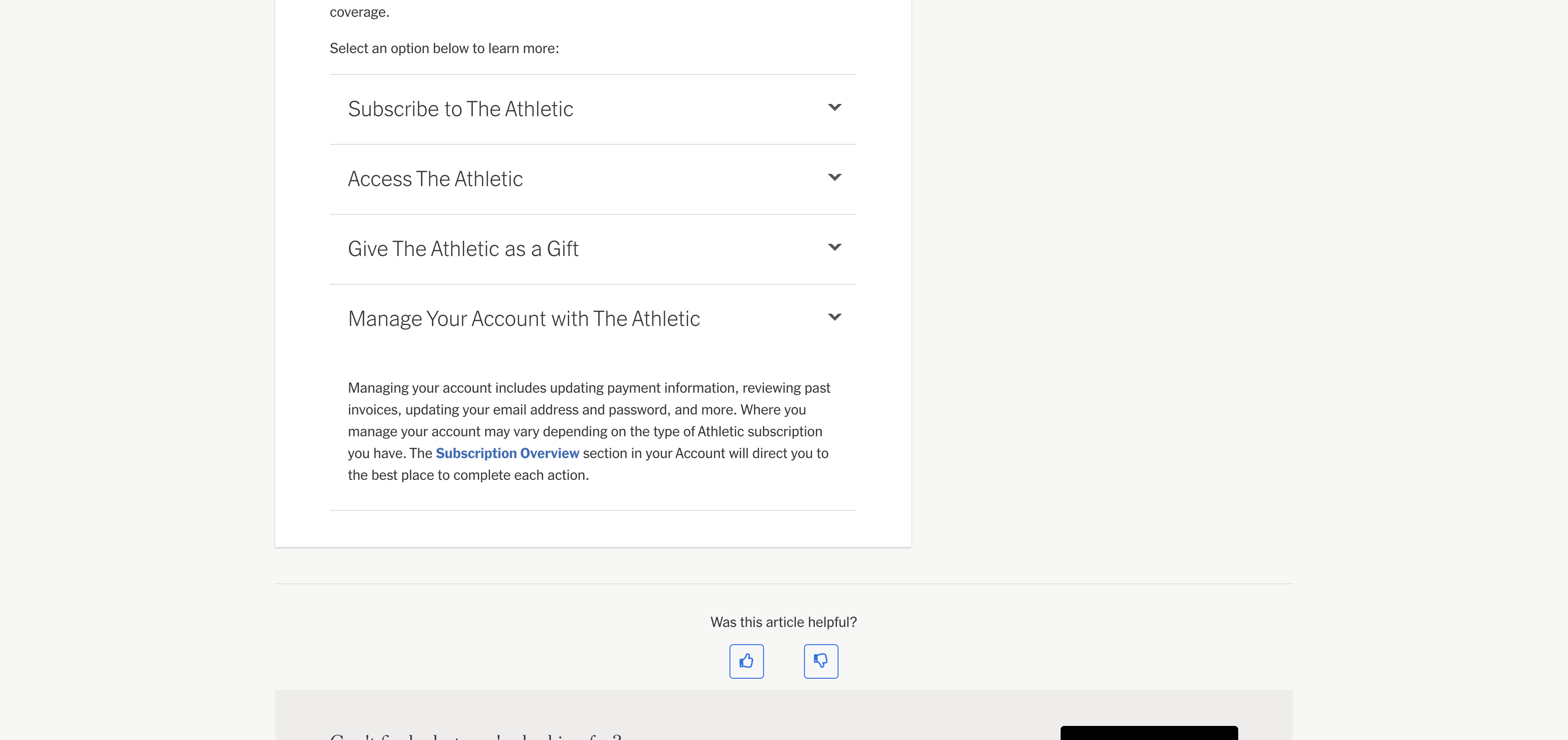
Cancel a standalone Athletic subscription
Open nytimes.com/athletic/settings while signed in to the paying account. Follow the cancellation option and review the date on which paid access ends.
Manage an NYT bundle in the NYT account
If The Athletic is included in All Access or Home Delivery, use the New York Times account area to manage the bundle. Cancelling an NYT subscription does not automatically cancel a separate standalone Athletic plan.
Already charged? Keep the receipt and the cancellation confirmation. They are the useful part of a refund request.
Check my The Athletic refund options →Use Apple or Google Play for an app-store purchase
A subscription purchased through iOS or Google Play must be cancelled with that third party. Save the store confirmation and check that the next renewal is gone.
⚠️ Watch out
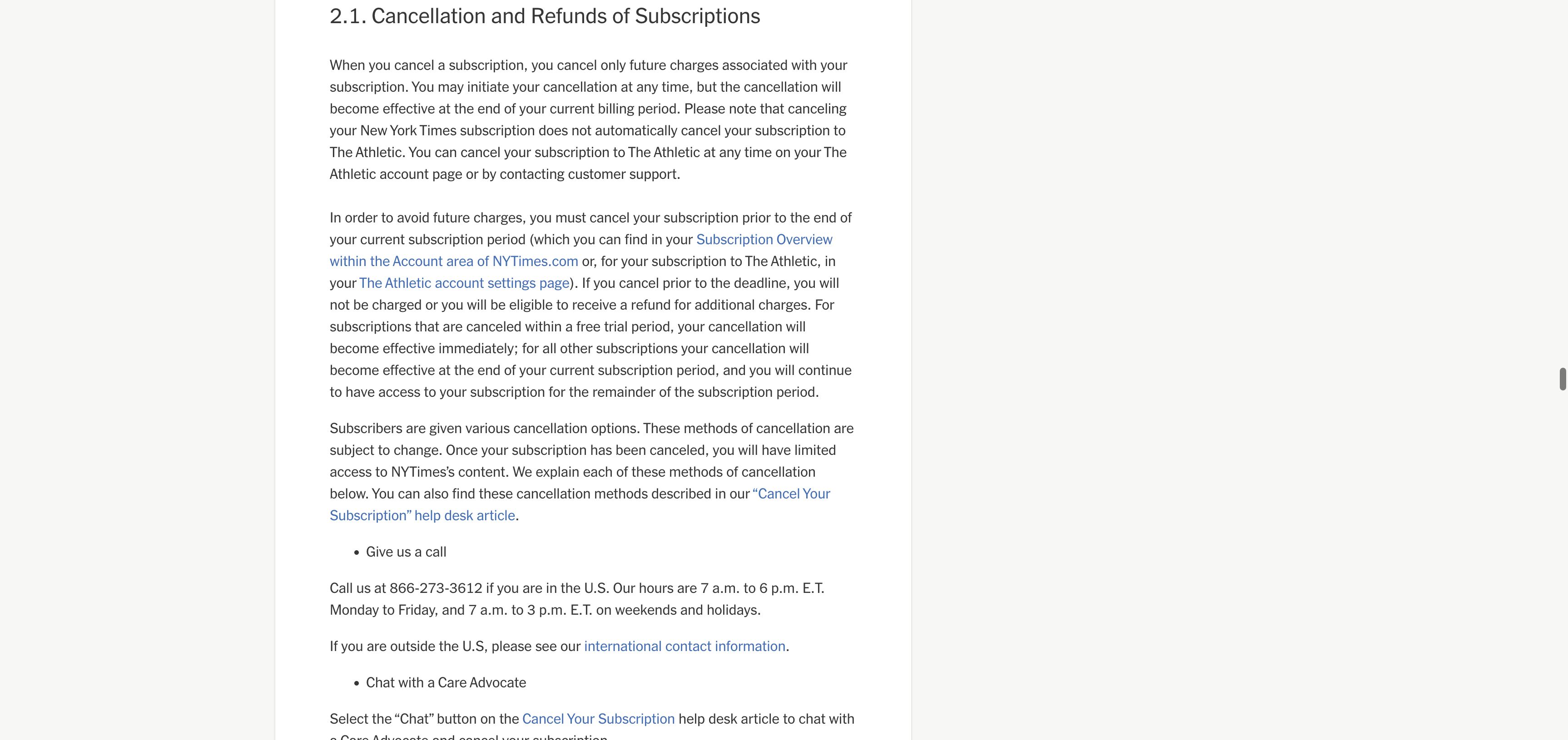
- Cancelling a New York Times subscription does not automatically cancel a separately billed Athletic subscription.
- Paid cancellations normally take effect at the end of the current subscription period. A cancellation during a free trial takes effect immediately under the current NYT terms.
- Third-party purchases must be changed or cancelled through the same third party.
- Old instructions that point only to theathletic.com/account may miss the current NYTimes account route.
✓ Refund may be possible
A refund is not automatic. Use the provider on the receipt and include the payment date, cancellation confirmation, and any evidence of a duplicate or unexpected charge. Local consumer rights may add protections.
Official screens behind the policy notes
These current support screens are included so you can compare the wording on your own account before acting.
Frequently Asked Questions
Is The Athletic included with my New York Times plan?
Why do I still see an Athletic charge after changing my NYT plan?
Can I get a refund from The Athletic?
What happens to access after cancellation?
Sources checked for this guide
We checked the current NYT Athletic help page and the NYT Terms of Sale effective March 9, 2026. Store-billed subscriptions remain subject to the relevant store rules.
Already charged for The Athletic?
Enter the amount and what happened. The free preview organizes the known cancel path, likely refund window, and the evidence to keep before you contact support.
The preview is free. The optional personalized Emergency Kit is a one-time $4.99 purchase. Or review a bill if you are unsure which charge to handle first.
Independent guidance
Bill Vampire is not a bank or law firm. Cancel paths and merchant policies can change. Contact the merchant first for an ordinary billing problem. Contact your card issuer promptly if you do not recognize a charge or believe it is fraudulent.