Already charged? Stop the renewal first, then use the receipt to check the refund window and support path.
Check this YouTube Premium charge →How to Cancel YouTube Premium and Check Who Bills You (2026)
The important first step is finding the company that took the payment. A YouTube-billed membership can be cancelled on the paid memberships page. Apple and Google Play purchases stay under the app-store account that processed the charge.
Official account or cancellation path YouTube Premium
Open the paid memberships page
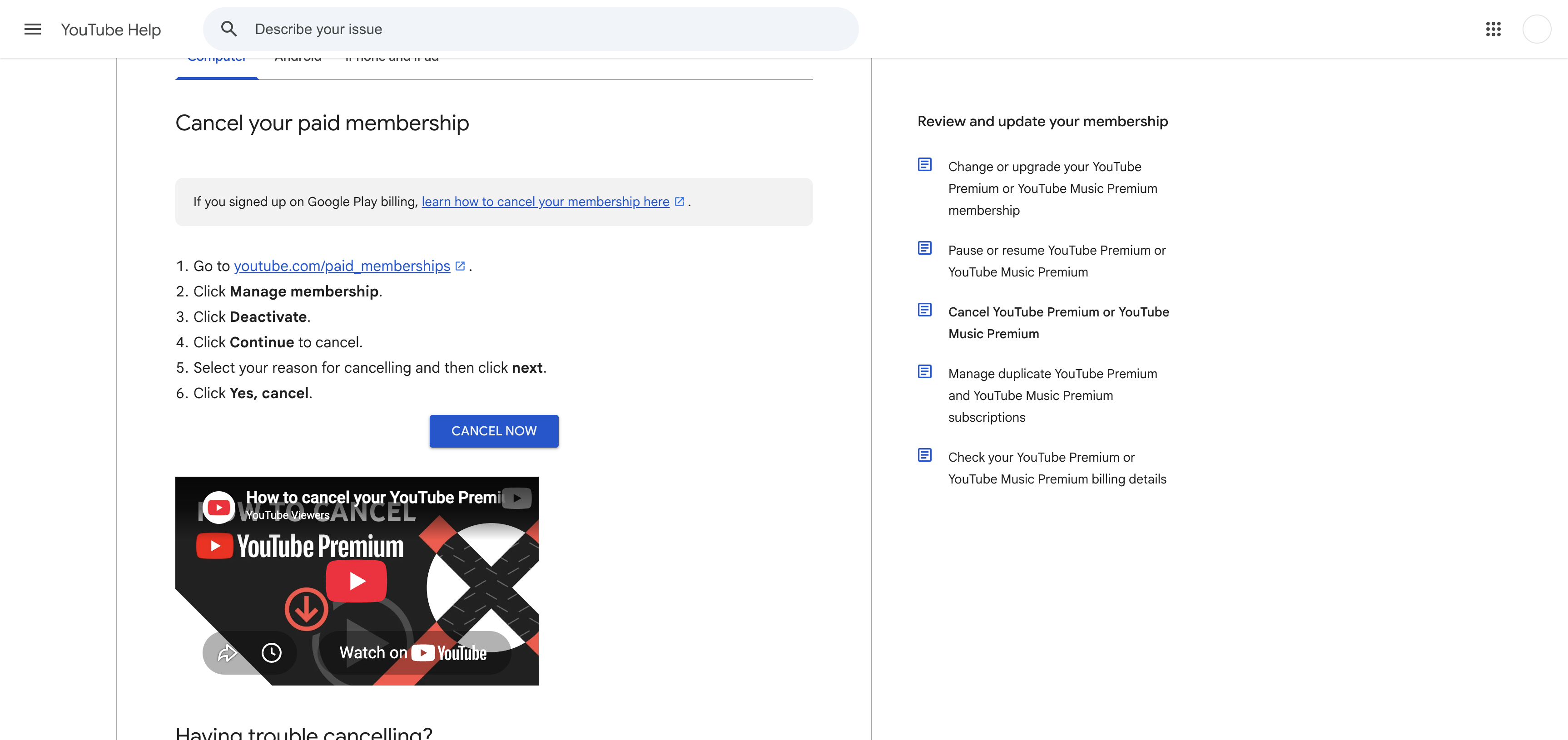
Sign in to the Google account that pays for Premium and open youtube.com/paid_memberships. Check the membership details for the plan, renewal date, and billing provider.
Cancel a membership billed by YouTube
Choose Manage membership, then Deactivate. Select Continue to cancel, choose a reason, select Next, and finish with Yes, cancel.
Use the app store when it handled the payment
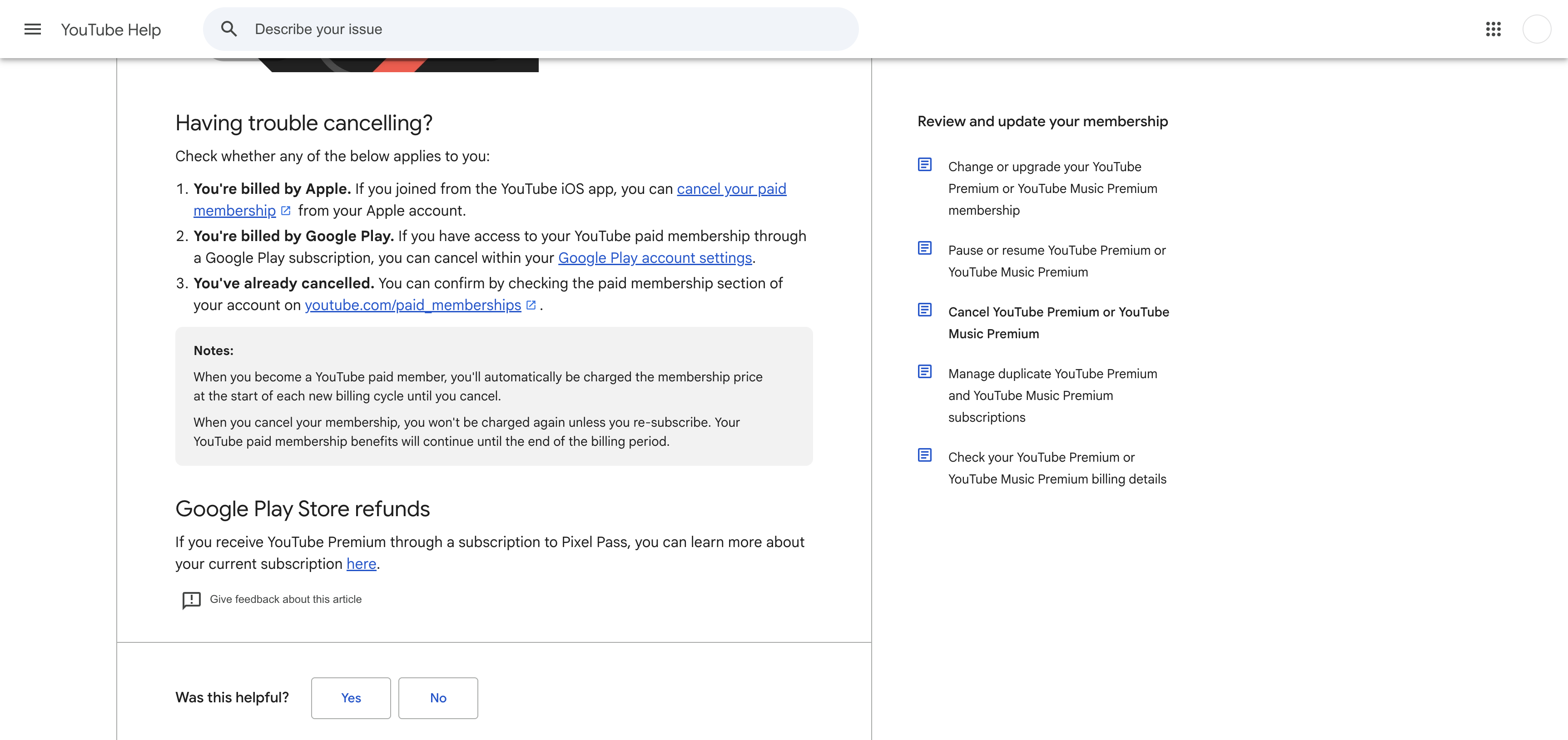
For an Apple-billed membership, manage the subscription in Apple Subscriptions. For a Google Play-billed membership, use the subscriptions area of the matching Google Play account.
Already charged? Keep the receipt and the cancellation confirmation. They are the useful part of a refund request.
Check my YouTube Premium refund options →Keep the cancellation proof
Check for the cancellation notification in YouTube and the confirmation email. Save the end date and make sure the membership page no longer shows a future renewal.
⚠️ Watch out
- Premium benefits continue until the end of a normal paid billing period, then ad-free viewing, background play, and offline downloads end.
- Apple handles cancellation and refund requests for memberships purchased through Apple billing.
- Only the family manager can cancel a YouTube Premium family membership.
- YouTube says annual memberships are prepaid and do not receive a partial refund after cancellation.
✓ Refund may be possible
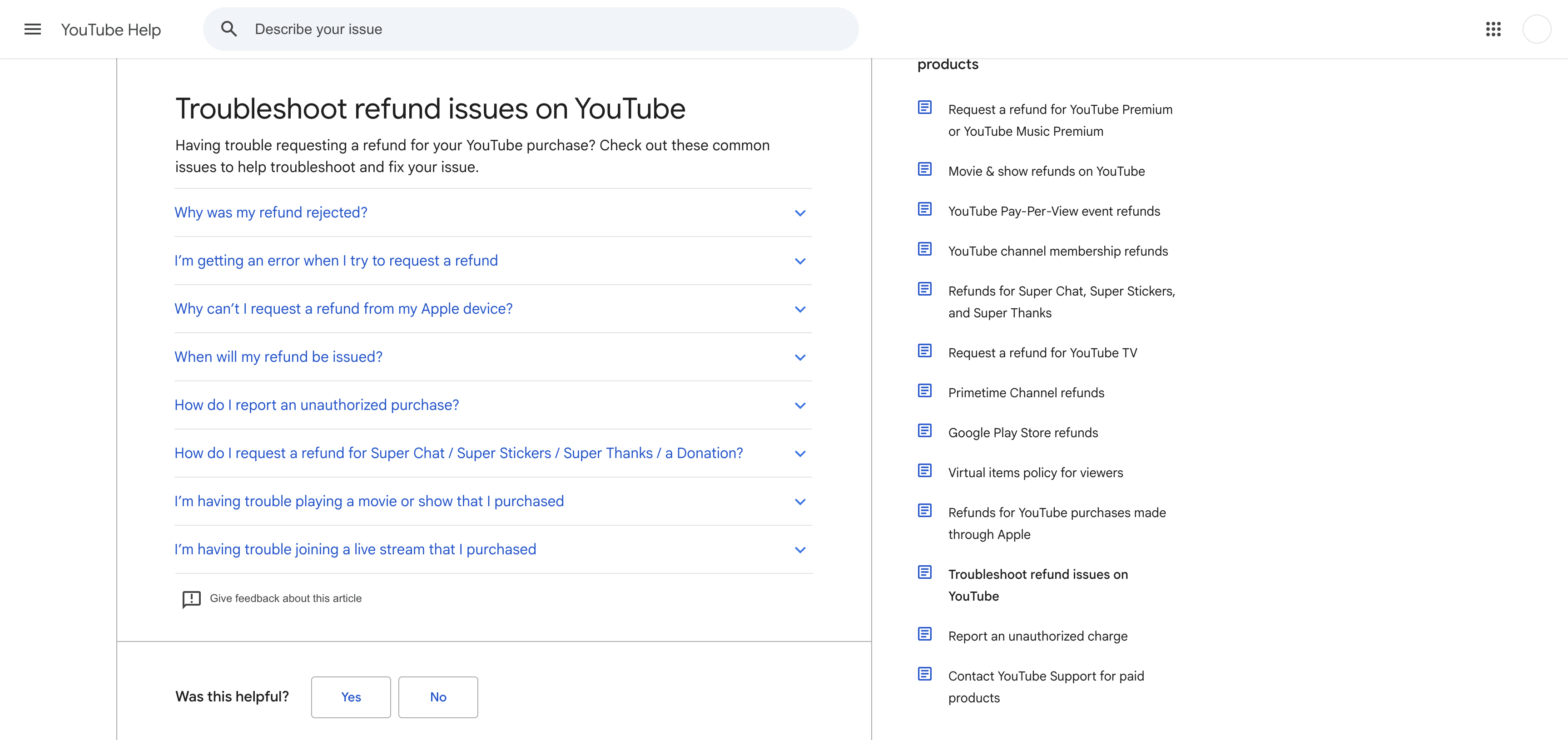
A refund may be available for a billing problem or when the paid service did not work as expected, subject to YouTube's policy. Apple decides refunds for Apple-billed purchases. Annual memberships do not receive a partial refund simply because they were cancelled early.
Official screens behind the policy notes
These current support screens are included so you can compare the wording on your own account before acting.
Frequently Asked Questions
Will my playlists and channel disappear after I cancel?
When will ads return?
Can I get a YouTube Premium refund?
Why can I not find the membership I am being charged for?
Sources checked for this guide
We checked YouTube's current cancellation, troubleshooting, and refund pages on August 25, 2026. Button labels can differ by device and billing provider.
Already charged for YouTube Premium?
Enter the amount and what happened. The free preview organizes the known cancel path, likely refund window, and the evidence to keep before you contact support.
The preview is free. The optional personalized Emergency Kit is a one-time $4.99 purchase. Or review a bill if you are unsure which charge to handle first.
Independent guidance
Bill Vampire is not a bank or law firm. Cancel paths and merchant policies can change. Contact the merchant first for an ordinary billing problem. Contact your card issuer promptly if you do not recognize a charge or believe it is fraudulent.