Already charged? Stop the renewal first, then use the receipt to check the refund window and support path.
Check this Grammarly charge →How to Cancel Grammarly and Stop the Next Renewal (2026)
Cancelling Grammarly stops automatic renewal while paid access continues through the period you already bought. If a charge has already posted, a refund is a separate request. Grammarly's current support page says refunds are issued only when required by law, so do not rely on older claims of a general seven-day guarantee.
Official account or cancellation path Grammarly
Sign in to the account that is being billed
Open Grammarly's Account Hub in a browser. Choose Account in the left sidebar, then open Your account and Subscription.
Choose Cancel Subscription
Scroll to the bottom of the Subscription page and choose Cancel Subscription. In the next window, choose Continue.
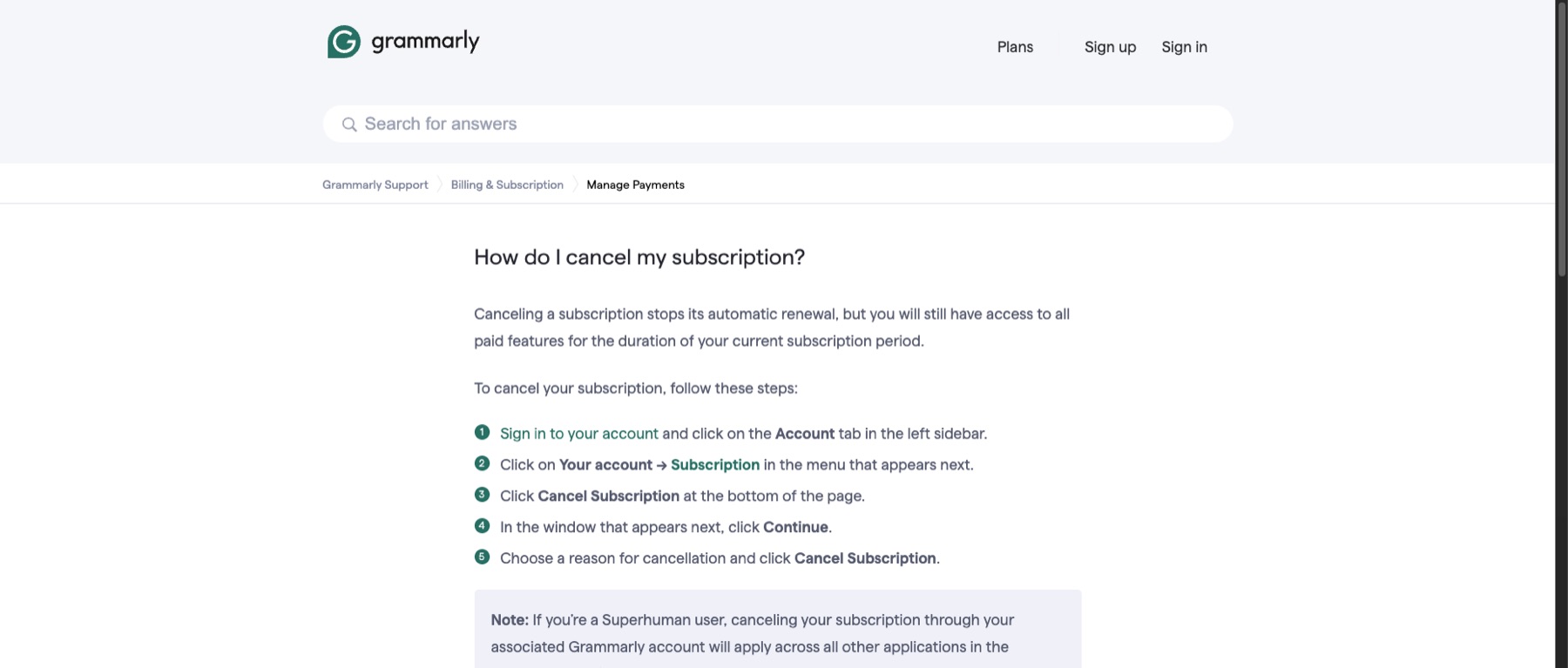
Choose a reason and confirm
Choose a cancellation reason, then select Cancel Subscription. Do not stop at the reason screen; the account should show that renewal is no longer scheduled.
Already charged? Keep the receipt and the cancellation confirmation. They are the useful part of a refund request.
Check my Grammarly refund options →Keep the confirmation and paid-through date
Save the final screen or email and note the end date. Grammarly says cancelling stops automatic renewal while paid features remain available through the current subscription period.
⚠️ Watch out
- Grammarly's current refund page does not advertise a general seven-day money-back guarantee. It says refunds are issued only when required by law.
- An App Store purchase must be cancelled and, if needed, refunded through Apple.
- Deleting a Grammarly account is a different action from cancelling a subscription.
- For a Superhuman user, Grammarly says cancelling through the associated account applies across the other applications in the suite.
✗ Refund policy
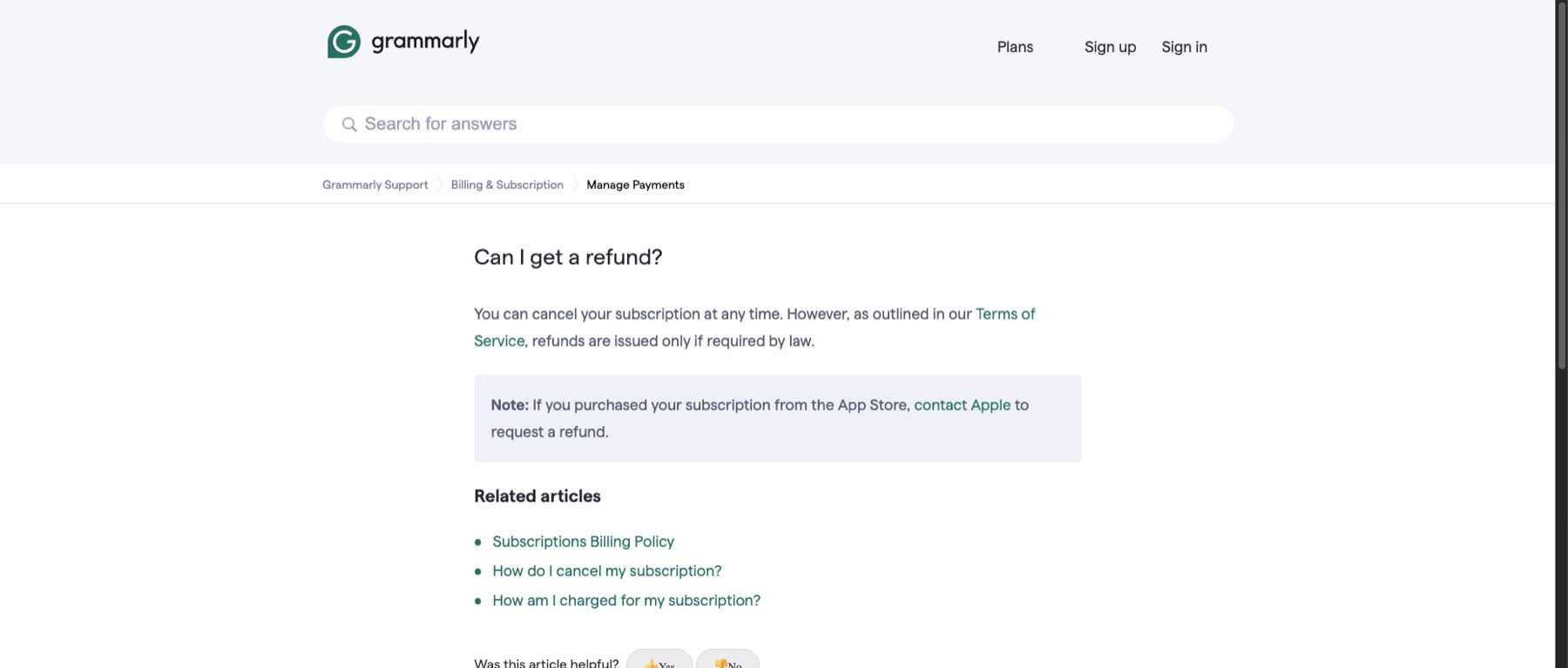
Grammarly's current published policy says refunds are issued only when required by law. For an App Store purchase, contact Apple. Cancel the renewal first, then use Grammarly's official refund page to decide whether a request is appropriate.
Official screens behind the policy notes
These current support screens are included so you can compare the wording on your own account before acting.
Frequently Asked Questions
Will Grammarly stop working the moment I cancel?
Can I get a Grammarly refund after renewal?
Why is there no cancel button?
Do I need to delete my Grammarly account?
Sources checked for this guide
We checked Grammarly's current cancellation and refund support pages on August 30, 2026. The account interface and statutory refund rights can vary by billing route and region.
Already charged for Grammarly?
Enter the amount and what happened. The free preview organizes the known cancel path, likely refund window, and the evidence to keep before you contact support.
The preview is free. The optional personalized Emergency Kit is a one-time $4.99 purchase. Or review a bill if you are unsure which charge to handle first.
Independent guidance
Bill Vampire is not a bank or law firm. Cancel paths and merchant policies can change. Contact the merchant first for an ordinary billing problem. Contact your card issuer promptly if you do not recognize a charge or believe it is fraudulent.